Terrace under construction — channel and berm taking shape
Home·App·Modes·Terracing
Mode 02 · Terracing

RTK terrace grade control for channel cuts, berm fill, and farmable wide-base terraces.

Survey the channel, survey the berm, then build the terrace as one system. Slope-IQ™ designs channel grade to the outlet, Auto-Balance sizes cut volume against compaction-adjusted berm fill, and Auto-Nudge™ stages the channel cut pass by pass. Use it for maintaining or building wide-base, broad-base, and farm-over terraces with a scraper or land-forming blade.

New to Ditch Assist?

Ditch Assist™ is centimeter-accurate RTK GPS grade control and guidance for field machines — one kit, one Android tablet, any compatible RTK source. Terracing is an included workflow. Buy the kit for this job and every other surface workflow comes with it — surface drainage, tile drainage, land forming, single-grade work, levees, leveling — at no extra cost, no per-mode activation.

What is Ditch Assist?
What it is

Purpose-built terrace construction, from channel to berm.

Terracing mode turns channel grading into a dedicated workflow for the whole structure: channel survey, berm survey, channel design, berm-height verification, cut/fill balance, and pass-by-pass channel cuts.

Two things usually make terrace work hard by eye: keeping the channel draining cleanly to the outlet, and keeping the berm high enough above the channel to meet the job spec. Terracing mode handles both as one system while the operator stays in control of how material is placed.

Terrace channel and berm taking shape under a scraper
Slope-IQ Terrace design dialog with channel and berm designed together
Fit check

Is Terracing mode the right fit?

Terracing mode is built for the channel and berm as one system, not just a single grade line. If the job is a wide-base, broad-base, or farm-over terrace, the channel design, berm-height check, and cut/fill balance need to work together before you start moving dirt.

Best for

Terrace construction and maintenance

Operators building or maintaining wide-base, broad-base, or farm-over terraces with a pull-type scraper, land-forming blade, land leveler, or Pulldozer™, who need the channel and berm designed and graded together.

Different job?

A single run or a 3D design surface

A single ditch or drainage run with no berm to build — see Ditching mode — or a job driven by an imported 3D design surface — see Land Forming.

Terracing mode walkthrough

Complete terrace construction how-to: survey, design, balance, and grade in the app.

This is the in-app workflow an operator follows in the field: check module and RTK GPS status, set survey blade height, record the terrace channel, survey the berm, build the Slope-IQ design, use Auto-Balance to compare channel cut against berm fill, stage deeper cuts with Auto-Nudge, then grade the channel and verify berm height.

Channel and berm surveys

Set survey blade height, record the terrace channel, confirm outlet direction, then survey the top of the berm for height feedback.

Slope-IQ and Auto-Balance

Compare Best-Fit, Guided, and Freeform channel designs, set minimum grade and berm height, then balance cut volume against fill needs.

Auto-Nudge and berm verification

Stage the channel cut pass by pass, use Hold for manual guidance when needed, then switch to Berm to place material to target height.

What the Terracing walkthrough covers

This walkthrough simulates the full Terracing mode flow in the Ditch Assist app, matching what an operator does when maintaining or building a farmable terrace.

  • 1. Pre-flight checks Connect the tablet to the Ditch Assist control module Wi-Fi, confirm green module and GPS checks, and verify live latitude, longitude, and elevation before surveying.
  • 2. Survey blade height Enter the cutting edge height above ground in transport position so the app records true ground elevation for the channel and berm surveys.
  • 3. Record the channel survey Start a new Terracing survey, drive the existing channel from either end, watch the elevation profile draw, then save and confirm water-flow direction.
  • 4. Record the berm survey Drive the top of the existing berm, save the berm survey, and confirm the app has both channel and berm profiles ready for design.
  • 5. Design with Slope-IQ Review the channel and berm profiles, use Best-Fit to cut humps that stop drainage, adjust minimum grade and depth offset, and see max cut and average cut before grading.
  • 6. Balance cut and fill Set minimum berm height, see where the berm needs material, compare shortage or surplus in cubic yards, and use Auto-Balance to deepen the channel only as much as needed.
  • 7. Choose design control Compare Best-Fit, Guided, and Freeform designs. Guided and Freeform can lift low channel areas so the plan fills depressions instead of always cutting deeper.
  • 8. Grade with Auto-Nudge Save the design, enable Auto-Nudge, stage the channel cut pass by pass, and use the Grade Guide to see current blade height against current and final targets.
  • 9. Hold, automate, and verify berm height Use Hold for manual guidance, release Hold for automated RTK finishing, switch from Channel to Berm, then place soil until the blue fill areas meet the target height.
Before Terracing

Before you survey the terrace channel.

Use the setup walkthrough to get field data and machine checks handled before opening Terracing mode for the channel and berm survey.

  • Prepare the field while online: fetch LiDAR, cache imagery, and review flow, ponding, and depression layers around the outlet and grassed runway.
  • Save the field data to the tablet so the terrace job can continue offline after reconnecting to controller Wi-Fi.
  • Verify RTK GPS, module connection, and hydraulic response before surveying the channel and berm paths.
Setup video
Automation or guidance

Guide the shape. Automate the channel target.

Terracing can be run with full hydraulic automation or guidance-only feedback. Automation is the best fit for keeping the channel on target grade, while guidance lets an experienced operator place material at their own pace and keep the channel, berm, and outlet context visible.

Automation for channel cuts

Ditch Assist follows the terrace channel target and helps maintain the designed fall to the outlet as the machine works along the surveyed path.

Guidance for placement

Operators who prefer manual hydraulics can watch the profile, Grade Guide, and coverage map while shaping the berm and working material into place.

For wide-base terraces, the operator still manages how material is moved. The app keeps the target visible, and automation can take over when the channel grade needs to be finished precisely.

Channel profile keeps outlet fall visible while you work Berm and channel targets stay on screen for manual shaping Coverage feedback shows terrace channel progress by pass
Ditch Assist Terracing guidance screen for shaping the berm Ditch Assist Terracing guidance screen for finishing the channel
Built for terrace work

The terrace problems Ditch Assist solves.

Wide-base, broad-base, and farm-over terraces are not just one grade line. The channel, berm, outlet, and cut/fill volume have to agree before you start moving dirt.

Channel grade

Hold grade to the outlet

Design a clean channel profile from inlet to outlet so water does not sit in pockets along the run.

Berm height

Build the berm to spec

Survey the berm line and verify height as you place soil, instead of guessing from the seat.

Cut and fill

Balance the dirt before you cut

Auto-Balance compares channel cut to compaction-adjusted berm fill so shortages show up before the job is half-built.

Low spots

Fill depressions, don't chase them

Guided and Freeform design let you lift the channel through a low area so the plan fills it instead of cutting deeper.

Multi-pass cuts

Stage deep channels safely

Auto-Nudge steps the channel target down pass by pass, based on the cut depth your scraper or blade can handle.

Equipment

Use the machine you terrace with

Run Automation or Guidance on pull-type scrapers, land-forming blades, land levelers, and Pulldozer™.

The workflow

Typical terracing workflow.

Two surveys, one design, one grade session. Drive the channel, drive the berm, let Slope-IQ™ lay the channel cut, hit Auto-Balance, then grade the channel while Auto-Nudge™ manages multi-pass cuts. Build the berm with live target feedback as the cut volume accumulates.

STEP 01

Survey the channel, then the berm

Tap the Terracing card and choose New Surveys. Drive the planned channel centerline at a steady pace, tap Stop, save it (“Terrace 12 channel”). Confirm direction (Ditch Assist reads inlet/outlet from elevation), then drive the berm centerline on the downhill side and save (“Terrace 12 berm”).

STEP 02

Design with Slope-IQ™ + Auto-Balance

The Terrace Design dialog opens with Slope-IQ™ on the channel survey. Set Depth Offset, Min Grade, Bottom Width, Min Berm Height, and Side Slope. Step through to Berm Analysis — if cut volume falls short of compaction-adjusted fill, tap Auto-Balance and the dialog deepens the channel until the volumes match.

STEP 03

Grade channel, then berm

On the Grade screen, the sidebar Channel/Berm toggle picks the active phase. Cut the channel first with Auto-Nudge™ staging each pass. When the channel is on grade, switch to Berm and place the accumulated soil while the tablet shows the berm target.

Designing the channel

How Ditch Assist designs your terrace channel.

Survey the channel and Ditch Assist grades it cleanly to the outlet — on minimum grade, delivering the cut volume your berm needs. The design engine is called Slope-IQ.

Slope-IQ channel design dialog for terracing
Exclusive technology

Slope-IQ™ Terrace

Three engines design the channel cut. Automation when you want it, control when you need it.

Slope-IQ™ works out the channel profile from your survey — respecting your minimum drainage grade, your depth budget, and the geometry that lets the berm above it hold to height. Best-Fit hugs the terrain, Guided enforces your grade-break points, Freeform lets you place every vertex yourself.

BEST-FIT

Best-Fit

Set Min Grade and Depth Offset, and Slope-IQ™ solves the channel — following the natural slope where it works, cutting through humps that hold back flow, moving the least dirt possible while still delivering enough cut volume to build the berm.

GUIDED

Guided

Anchor grade-break points where elevations must hold — a tile inlet at the head, a grassed waterway at the outlet, a road crossing in the middle — and Slope-IQ™ connects them with same-grade segments that respect your minimum drainage.

FREEFORM

Freeform

Total control when terrain or conservation rules demand it. Tap to drop anchor points along the channel, drag them with your finger — even off-grade. Whatever profile you draw, Ditch Assist implements.

Guided design lifting the channel above a natural depression so it gets filled instead of cut
Terracing-only

Fill the depressions — don't dive into them.

Best-Fit always grades down from the bottom of any depression along the route. On long terraces with a tight outlet elevation, that can cost more depth than your slope budget allows.

Use Guided or Freeform to place the channel above a low spot — the system then plans to fill that section of the channel instead of cutting deeper. The volume strip updates accordingly: Channel Cut minus Channel Fill minus Berm Fill (compaction adjusted) equals Net Balance. Check the number before you start — a positive balance means the channel cut covers both filling depressions and building up the berm; a negative balance tells you up front you'll need to haul fill in from elsewhere (uphill, a borrow area, or a neighboring field).

Cut/fill balance

Channel Cut − Channel Fill − Berm Fill (compaction adjusted) = Net Balance

Positive: the channel cut covers filling depressions and building the berm. Negative: haul in fill before you start.

Staging the channel cut

How Ditch Assist handles a channel deeper than one pass.

A terrace channel is rarely a one-pass cut. Ditch Assist stages it pass by pass so the scraper never bites off more than it can pull. That engine is Auto-Nudge.

Auto-Nudge prompt — pick max cut per pass
Exclusive technology

Auto-Nudge™ — stages every channel cut, pass by pass.

Deep channel cuts are rarely a one-pass job. Auto-Nudge™ stages the channel cut across multiple passes — never letting the implement bite off more than your scraper can handle. Set the max cut per pass, drive the route, tap Pass + at the end of each pass, and the system steps the target depth down until you're on final grade.

SET

Set your max cut

Set the deepest single-pass cut your scraper and conditions can handle. Default 2″. The design dialog shows the estimated channel-pass count before you implement.

STAGE

System sets each pass target

Each pass cuts the channel deeper toward final grade — never more than your max cut. The profile chart shows the active pass bold, future passes faded — you always see what's left to cut.

ADVANCE

Tap Pass +, pass by pass

End of a pass, tap Pass + in the sidebar. The system sets the next target depth and you keep cutting. When the channel is on final grade, flip the Channel/Berm toggle and build up the berm — berm building is operator-paced as the fill accumulates.

Equipment

Grade control for the machines you terrace with.

Terracing needs cut-and-place capability — soil from the channel goes onto the berm, not off-site. Pull-type scrapers are the workhorse; land-forming blades and the Pulldozer™ fit too. Pick yours for setup and compatibility details.

Pull-type scrapers

Grade Control for Pull-Type Scrapers

Pull-type scraper with Ditch Assist on a terrace

Both the Automation Kit and the Guidance Kit add RTK GPS grade control to any hydraulically operated pull-type scraper for terracing work. The Automation Kit drives the raise/lower hydraulics automatically — PWM valve, hoses, fittings, and a manual-bypass circuit all included. The Guidance Kit gives live on-screen on-grade feedback so the operator works the hydraulics manually — control module and harness only.

Scrapers are the natural fit for terracing: they cut the channel and dump the fill onto the berm in the same pass. Min/max Duty Cycle (DC) settings in the app tune hydraulic responsiveness for typical scrapers used across Western Canada and the Northern U.S. Turn up DC for larger units, down for smaller. Optional high-flow valve spool upgrades are available for extra-large scrapers.

Because the kit is portable and mounted on the implement (or tractor), you can swap between tractors throughout the day. Wireless communication from valve to cab means minimal wiring — change tractors and be back terracing in under an hour.

Slope-IQ™ designs the channel cut. Auto-Balance matches cut volume to compaction-adjusted berm fill. Auto-Nudge™ stages the channel cut pass by pass so the scraper never bites off more than it can handle.

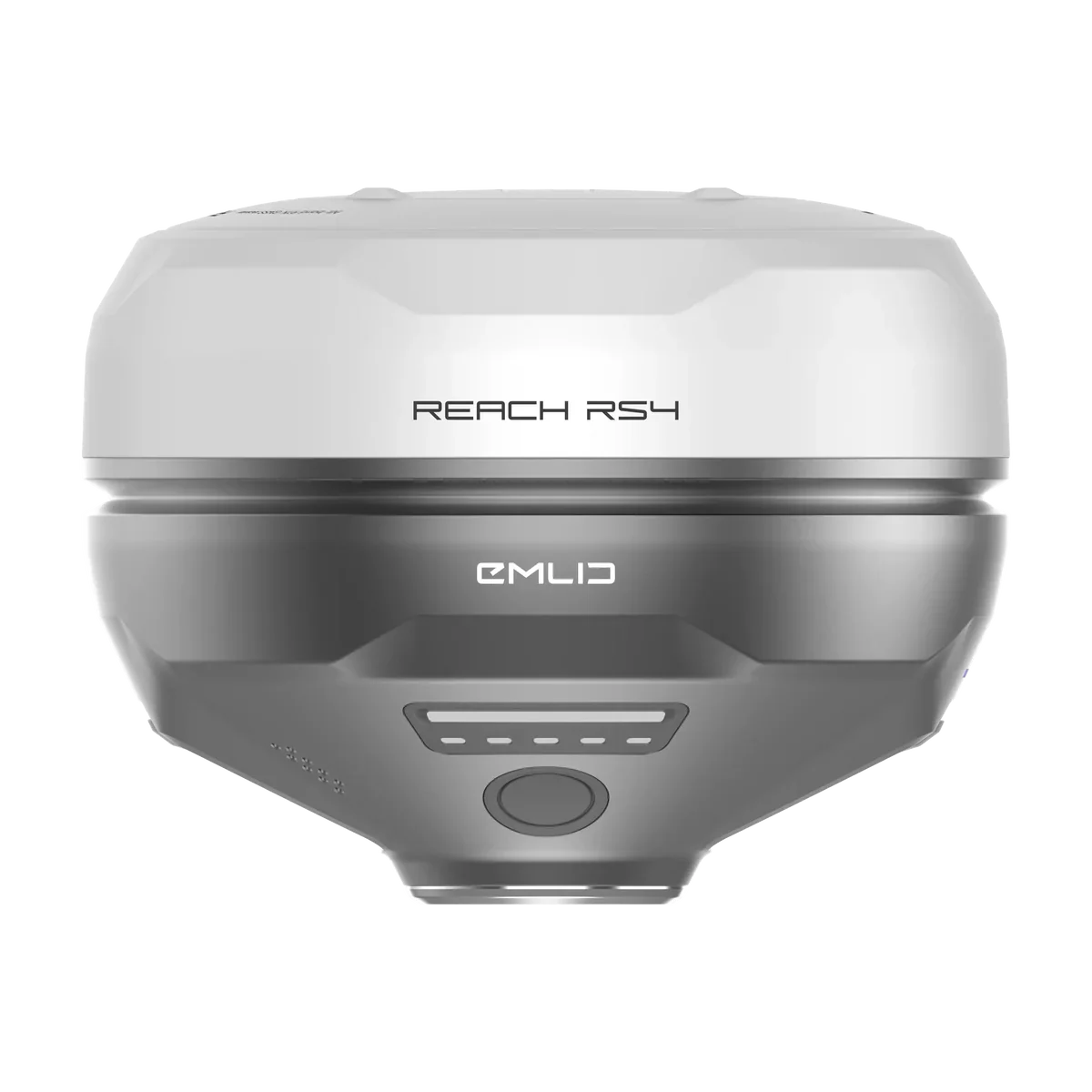
Compatible with any RTK GPS. Ask about our affordable Emlid Reach RS3 or RS4 bundle if you're starting fresh.
Land-forming blades & Pulldozer™

Grade Control for Land-Forming Blades

Land-forming blade with Ditch Assist on a terrace

Both the Automation Kit and the Guidance Kit add RTK GPS grade control to land-forming blades, land levelers, and the Pulldozer™. The Automation Kit drives the raise/lower hydraulics so the blade tracks each phase target automatically; the Guidance Kit gives live on-grade feedback while the operator works the hydraulics manually.

For terracing, Ditch Assist controls the raise/lower function only. Other blade functions — tilt, side-wing — stay manually operated. For tilt-capable blades, keep tilt constant from initial survey through to grading; changing it mid-operation alters the GPS height offset and causes deviation from your intended grade.

Slope-IQ™ Best-Fit, Guided, and Freeform engines design the channel profile. Auto-Balance matches volumes. Auto-Nudge™ stages cut depth on the channel pass so the blade never bites off more than the tractor can handle.

Wireless valve setup (Automation Kit) means fast swaps between tractors. Works with any RTK GPS; ask about our affordable Emlid Reach RS3 or RS4 bundle.

More than terracing

Same kit. Every other surface-grading job too.

Whichever kit you buy for terracing — Automation or Guidance — unlocks every other surface workflow in the Ditch Assist app. No extra cost, no per-mode activation. Surface drains in the spring, terraces this summer, a bin pad in the fall — same kit, same tablet, same operator.

Problem → fix

Terracing, in detail.

Problem: guessing whether the channel cut will give you enough fill for the berm — and finding out halfway through that it doesn't.

Fix: Auto-Balance in the Slope-IQ Terrace Designer. It walks the channel depth until cut volume matches compaction-adjusted berm fill. The Net Balance number tells you up front whether you need to haul material in.

Problem: low spots along the terrace channel that puddle out the crop weeks after the build.

Fix: Slope-IQ Guided or Freeform lets you lift the channel above a natural depression. The system fills that section of the channel instead of cutting deeper — cleaner drainage to the outlet, depth budget preserved.

Problem: wide-base terraces have to balance drainage with farm-over geometry — typically 18″ from channel bottom to berm top, on a gentle slope.

Fix: design the pair as a system in Terracing mode. Slope-IQ grades the channel, Min Berm Height sets the berm spec, and the tablet shows berm progress live as you build it up.

FAQ

Terrace grade control questions.

Clear answers for farmers and contractors comparing RTK terrace construction systems.

Grade control

What is terrace grade control?

Terrace grade control uses RTK GPS elevation and implement control to hold the terrace channel to a designed grade while you cut with a scraper or blade. Ditch Assist adds the terrace-specific pieces too: berm survey, berm-height checks, cut/fill balance, and pass staging.

Terrace type

Can Ditch Assist build wide-base, broad-base, or farm-over terraces?

Yes. Terracing mode is built for farmable terraces where the channel and berm need to work together. Survey the channel and berm, set the minimum berm height and channel geometry, then grade the channel and build the berm with live feedback.

Channel and berm

Does it grade the channel and build the berm automatically?

Ditch Assist automates or guides raise/lower control to the active target. The channel cut is the controlled grade pass. Berm building is operator-paced as material is placed, with the tablet showing the berm target so you know where the terrace still needs fill.

Auto-Balance

How does Auto-Balance work?

Auto-Balance compares the designed channel cut volume against the berm fill volume after compaction adjustment. If the berm needs more material, it deepens the channel design until the net balance matches, or shows that you need borrow material from somewhere else.

Outlets

Can it handle grassed waterway or tile outlets?

Yes. Slope-IQ designs the channel grade to the outlet, and Guided design can hold important elevations such as a tile inlet, grassed waterway outlet, crossing, or required grade break. Your conservation or drainage plan still defines the final outlet requirements.

Equipment

What equipment works best for terrace construction?

Pull-type scrapers are the natural fit because they cut the channel and place material on the berm. Land-forming blades, land levelers, and Pulldozer™ also work when the operator can place and shape the fill.

RTK GPS

Can I use my existing RTK GPS?

Yes. Ditch Assist works with any RTK GPS source that can feed the tablet. If you are starting fresh, ask about the affordable Emlid Reach RS3 or RS4 bundles.

Excavator using the Ditch Assist DIG kit for bucket-tip guidance Ditch Assist DIG
Excavator guidance

Have an excavator or backhoe too?

Add Ditch Assist DIG™ as a separate excavator guidance kit for bucket-tip elevation, trench design, and dug-earth mapping. It uses the same familiar Ditch Assist app experience, so operators can expand from implement grade control to excavators without learning a different UI.

Emlid Reach RS4 RTK receiver for terrace grade control
Optional RTK GPS bundles

Need RTK for terrace work?

Terracing uses RTK elevation to survey the channel, verify berm height, and keep cut/fill balance honest. If your tractor is not already RTK-ready, an Emlid base-rover bundle gives Ditch Assist the centimeter GPS it needs without ag display unlocks. The Ditch Assist-only package adds the tripod, extender, mount hardware, and Ditch Assist-to-Emlid RTK GPS cable.

Compatible equipment

Drives the cylinder on every implement you terrace with.

Pull-Type Scrapers (any brand) Pulldozer™ Land-Forming Blades Land Levelers
Try it live

See the real app before you talk hardware.

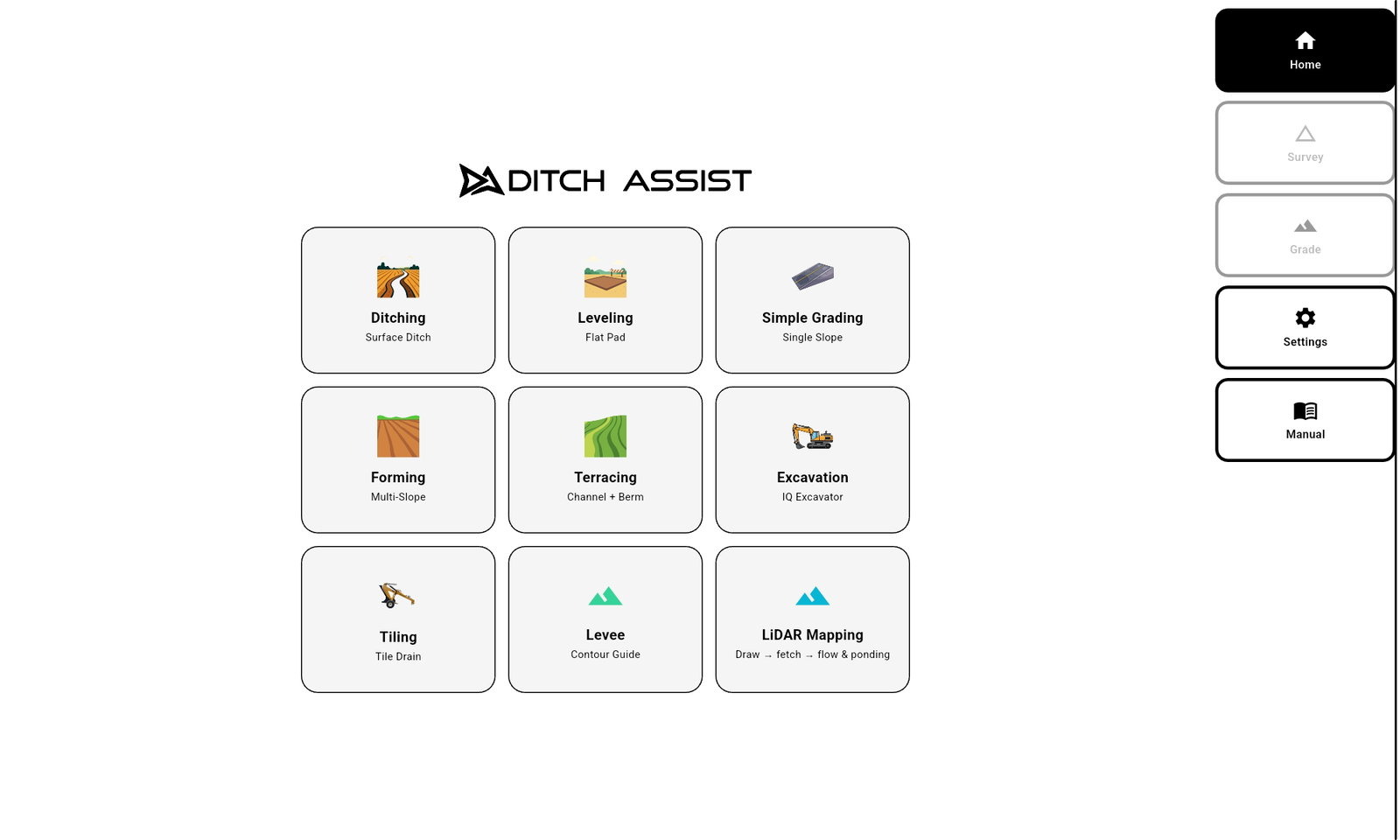
See the Terracing workflow live: channel and berm survey, Auto-Balance, and terrace grading, all in your browser.

Ditch Assist app home screen in the browser simulator
Slope-IQ Terrace — Best-Fit channel design, enlarged Slope-IQ Terrace — Guided channel design, enlarged Slope-IQ Terrace — Freeform channel design, enlarged