Not automatic excavator machine control
DIG™ gives RTK bucket-to-grade guidance — the operator still runs the machine. It does not drive excavator hydraulics.
For implements, the Full Automation Kit drives your hydraulics on grade, and the Guidance Only Kit shows grade while you work the hydraulics, or plugs into a compatible factory valve where your implement has one. For excavators, the DIG™ Kit. For any machine you can put a GPS on, Ditch Assist® Lite: guidance only, one GPS on the blade, no wires. All three run the same app and can share one RTK base.
 For implements
|
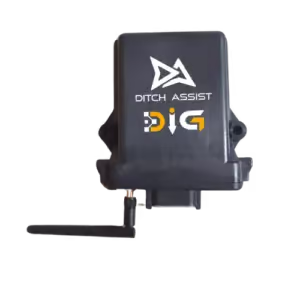 For excavators
|
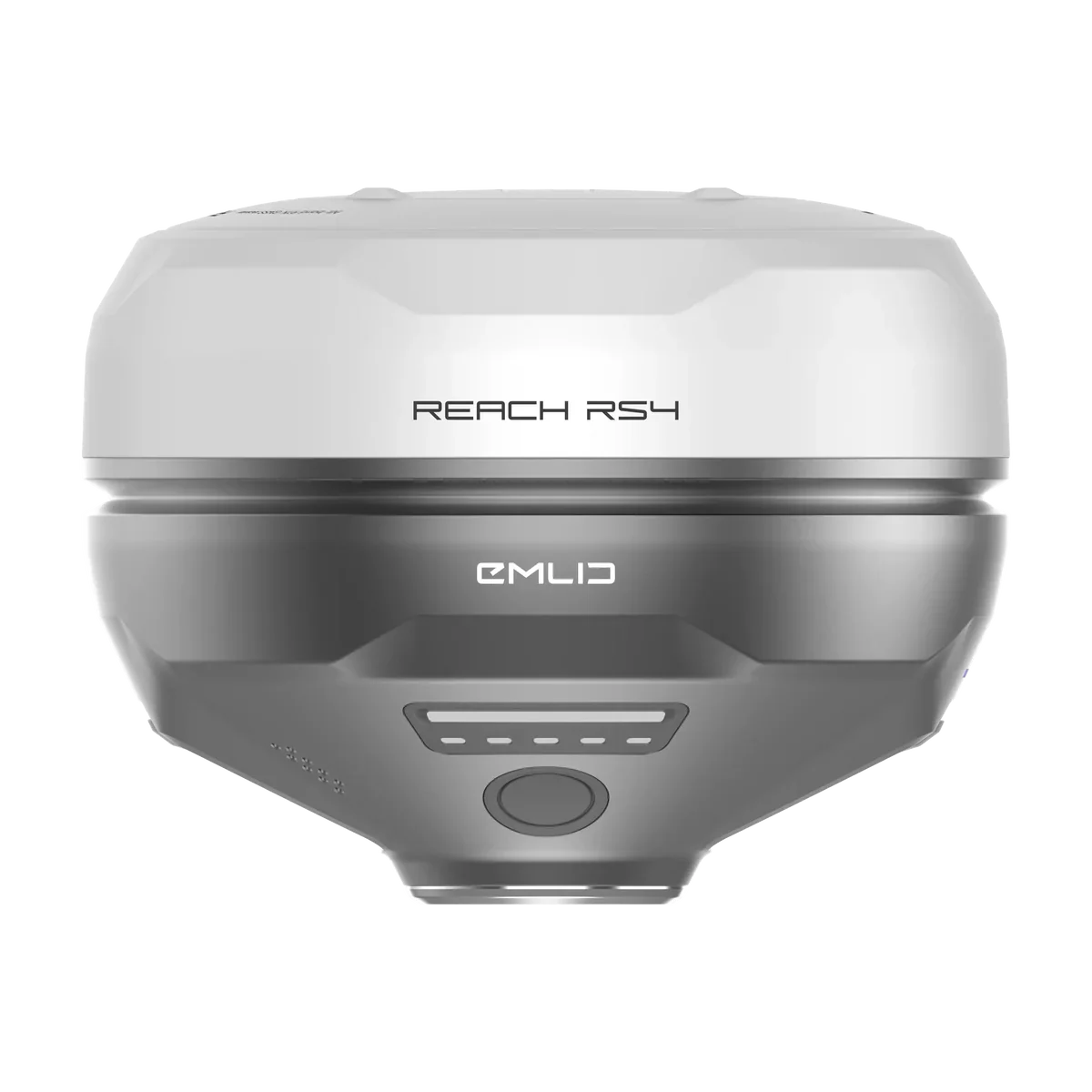 Guidance only, on any machine — one GPS, no wires
|
|
|---|---|---|---|
| For what machine | Implements with hydraulic raise/lower — pull-type scrapers, ditchers, tile plows, trenchers, land levelers, pull-type dozer blades | Almost any excavator or backhoe — full-size, mini, long-reach, wheeled, skid-steer backhoe attachments | Any machine or implement you can attach a GPS to: dozers, self-propelled scrapers, and on the farm a tractor with a scraper, ditcher, blade or leveler |
| How it works | Full Automation Kit: drives the existing raise/lower hydraulics on the implement so the blade tracks grade automatically. Guidance Only Kit: control module & harness, no valve. You follow the arrows on the screen and work raise/lower yourself; on an implement with a compatible factory PWM valve (most don’t have one), Ditch Assist works raise/lower through that valve. | Stick + bucket inclination sensors track the cutting edge in real time. Operator works the bucket manually with on-screen + audible on-grade guidance | The tablet connects to an Emlid Reach RS3 or RS4 over the receiver’s Wi-Fi. Live cut/fill on screen; you work the hydraulics. Nothing else on the machine. |
| Workflow modes | Ditching · Terracing · Land Forming · Simple Grading · Tiling · Leveling · Levee & Contour (guidance) | Excavator, with Enter Grade Only and Dig Level Area for quick jobs | Every mode: Ditching · Terracing · Land Forming · Simple Grading · Tiling · Leveling · Levee & Contour · Excavator (a grade check between cuts) · LiDAR Drainage Mapping |
| Slope-IQ™ design engines | ✓ Best-Fit · Guided · Freeform in Ditching and Terracing; single-grade fit in Simple Grading | ✓ Best-Fit · Guided · Freeform in the Ditch Assist app | ✓ Same Slope-IQ™ design tools |
| Auto-Nudge™ pass staging | ✓ In supported modes, set the most your scraper or blade can cut in one pass; Ditch Assist steps the target down pass by pass to design depth. The Full Automation Kit follows the target automatically, as does the Guidance Only Kit on a compatible factory valve; otherwise you work raise/lower to match each pass. Leveling uses manual Nudge, and Levee is guidance-only. | — Manual nudge: step the target up or down a pass at a time from the seat | ✓ Sets each pass’s target; you work the controls to match it |
| LiDAR Drainage Mapping | ✓ Flow, ponding and depression layers from public LiDAR, where available — unlocked in the app when you connect to the Ditch Assist module | ✓ Same — unlocked in the app when you connect to the DIG™ module | ✓ Included with the Ditch Assist Lite license |
| Design file import | ✓ AGD · Geo-Surface™ · Ezigrade · XYZ/XYZP · LandXML · with surveyed benchmarks | ✓ Slope-IQ™ designs, LandXML surfaces (Import Civil Design) and Geo-Surface™ XYZ/XYZP files | ✓ Same as the kits: Slope-IQ™ designs and surveys, and imported 3D land-forming files |
| Where you run the screen | Ditch Assist Android app on any recent 10″+ Android tablet. We recommend the Samsung Galaxy Tab A11+ and can bundle one with the kit; ask us about larger screens. | Ditch Assist Android app for field operation. The DIG™ module’s built-in setup page, in a browser, for measurements, calibration and saved machine profiles. | Same Ditch Assist Android app on the same tablets |
| Sensor IP rating | Control module — IP67 | Stick + bucket (or dogbone) sensors — IP67 | No sensors — the Emlid receiver only (RS3 IP67, RS4 IP68) |
| Implement-to-cab link | Wireless — no harness through the cab | Wireless — no harness through the cab | Wi-Fi from the receiver to the tablet — no cable, no module |
| RTK GPS compatibility | Any NMEA-compliant brand. Affordable Emlid bundles available. | Any NMEA-compliant brand. Affordable Emlid bundles available. | Emlid Reach RS3 or RS4 only |
| GPS power | The control module powers the receiver | The DIG™ module powers the receiver | The receiver’s own battery, all day |
| Auto-Hold on RTK loss | ✓ Stops sending blade commands, notifies operator | No hydraulics to hold: you run the controls, and the app tells you when the RTK fix drops. | Guidance pauses and tells you; resumes when the fix returns |
| Languages | EN · ES · PT-BR — full UI and operator manual | EN · ES · PT-BR in the Ditch Assist app | EN · ES · PT-BR — full UI and operator manual |
| Install time | About an hour on most equipment | ~1 hour to install sensors and calibrate once the GPS mount and sensor brackets are in place. Initial bracket and GPS-mount install takes longer. | Mount the receiver where it moves up and down exactly with the blade, then join its Wi-Fi. Nothing else to install. |
| Move between machines | As little as 20 minutes | Save up to 10 calibrated machine profiles; swap between machines that have sensor brackets pre-installed (extra bracket sets available) | Move the receiver. The license stays with it. |
| Optional upgrade to automation (valve) | Guidance Only Kit: yes — add the valve package and hydraulic components later and it becomes the Full Automation Kit | — Guidance only by design | — No. Automation later means buying the Full Automation Kit at full price, with no credit for Ditch Assist Lite |
| Run alongside the others | ✓ Yes — alongside DIG™ and Ditch Assist Lite on other machines, sharing one RTK base | ✓ Yes — alongside the implement kits and Ditch Assist Lite on other machines, sharing one RTK base | ✓ Yes — a Ditch Assist Lite machine and a kit machine can share one base |
| Subscription | None. One-time purchase. No per-machine activation. | None. One-time purchase. No per-machine activation. | None. One-time license per receiver. |
Many farms and contractors run more than one setup. The implement kits, DIG™ and Ditch Assist Lite are separate hardware, so they can run on different machines at the same time and share one RTK base station.
Match your equipment to a setup, then open the mode page for job-specific detail.
| Equipment | Recommended setup | Mode |
|---|---|---|
| Pull-type scraper or hydraulic blade | Full Automation Kit. Guidance Only Kit if you’ll add the valve later; Ditch Assist Lite for the lowest cost, if you’ll work the controls yourself. | Ditching → |
| Rotary ditcher | Full Automation Kit. Ditcher with a compatible factory PWM valve: Guidance Only Kit. | Ditching → |
| Land leveler or pull-type dozer blade | Full Automation Kit. Guidance Only Kit if you’ll add the valve later; Ditch Assist Lite for the lowest cost, if you’ll work the controls yourself. | Leveling → |
| Tile plow or trencher with hydraulic raise/lower | Full Automation Kit. Guidance Only Kit if you’ll add the valve later; Ditch Assist Lite for the lowest cost, if you’ll work the controls yourself. | Tiling → |
| Tile plow with a compatible factory PWM valve | Guidance Only Kit | Tiling → |
| Land leveler or hydraulic blade running 3D designs | Full Automation Kit. Guidance Only Kit if you’ll add the valve later; Ditch Assist Lite for the lowest cost, if you’ll work the controls yourself. | Land Forming → |
| Dozer or self-propelled scraper | Ditch Assist Lite, or the Guidance Only Kit with a compatible RTK GPS you already own | Simple Grading → |
| Excavator or backhoe — mini to full-size | DIG™ Kit | Excavator → |
All eight modes run on the same app. Pick the job, see the setup, open the mode.
| Job | Recommended setup | Mode |
|---|---|---|
| Surface ditches and field drainage — multi-slope designs from your survey | Full Automation Kit, Guidance Only Kit, or Ditch Assist Lite | Ditching → |
| Terraces — channel and berm | Full Automation Kit, Guidance Only Kit, or Ditch Assist Lite | Terracing → |
| 3D land-forming designs — AGD, LandXML, XYZP | Full Automation Kit, Guidance Only Kit, or Ditch Assist Lite | Land Forming → |
| Quick single-slope grading — lanes, approaches, pads | Full Automation Kit, Guidance Only Kit, or Ditch Assist Lite | Simple Grading → |
| Sub-surface tile drainage | Full Automation Kit, Guidance Only Kit, or Ditch Assist Lite | Tiling → |
| Flat pads — grain bins, shops, yards | Full Automation Kit, Guidance Only Kit, or Ditch Assist Lite | Leveling → |
| Levees and contour ridges — pick an elevation line and keep the machine on it | Full Automation Kit, Guidance Only Kit, or Ditch Assist Lite | Levee & Contour → |
| Excavator or backhoe trenching, culverts, ditch cleanup | DIG™ Kit | Excavator → |
Three things to know: what DIG™ doesn’t do, which RTK GPS each setup takes, and how licensing works.
DIG™ gives RTK bucket-to-grade guidance — the operator still runs the machine. It does not drive excavator hydraulics.
The Full Automation Kit, Guidance Only Kit and DIG™ Kit work with any NMEA-compliant RTK GPS source. Emlid Reach RS3/RS4 bundles are available, but no kit requires them. Ditch Assist Lite runs on an Emlid Reach RS3 or RS4: only a GPS on the implement, no wires.
Every workflow mode included with a kit ships in the kit you buy. There is no added fee to unlock Ditching, Terracing, Land Forming, Simple Grading, Tiling, Leveling, or Levee & Contour. Ditch Assist Lite is licensed once per receiver, and every mode is in it.
Ask these before you buy. Here’s how Ditch Assist answers each one.
The implement kits work with pull-type scrapers, ditchers, tile plows, trenchers, land levelers and pull-type dozer blades such as the Pulldozer; excavators and backhoes run DIG™. Implement kits install in about an hour on most equipment and swap machines in as little as 20 minutes. Ditch Assist Lite, guidance only with one GPS on the blade, fits any machine you can put a GPS on: dozers, self-propelled scrapers or a tractor with a scraper.
The Full Automation Kit drives your existing raise/lower hydraulics on grade. The Guidance Only Kit, Ditch Assist Lite and DIG™ show cut/fill on the screen while the operator works the controls; where an implement has a compatible factory PWM valve, the Guidance Only Kit can work raise/lower through it instead. Start with the Guidance Only Kit and add the valve package later — it becomes the Full Automation Kit. Ditch Assist Lite has no upgrade path: automation later means buying the Full Automation Kit at full price, with no credit for Ditch Assist Lite.
Any NMEA-compliant RTK receiver — John Deere, Trimble, Emlid, Outback and more. The kit module powers the receiver. Starting from scratch? Emlid Reach RS3/RS4 bundles are available. Ditch Assist Lite needs only an Emlid Reach RS3 or RS4 on the implement, on its own battery, no wires.
Ditching designs a multi-slope grade from your survey with Slope-IQ™ — Best-Fit, Guided or Freeform — with grade breaks and minimum fall to the outlet built into the design. One-slope jobs run in Simple Grading. 3D land-forming designs import as AGD, LandXML or XYZP files.
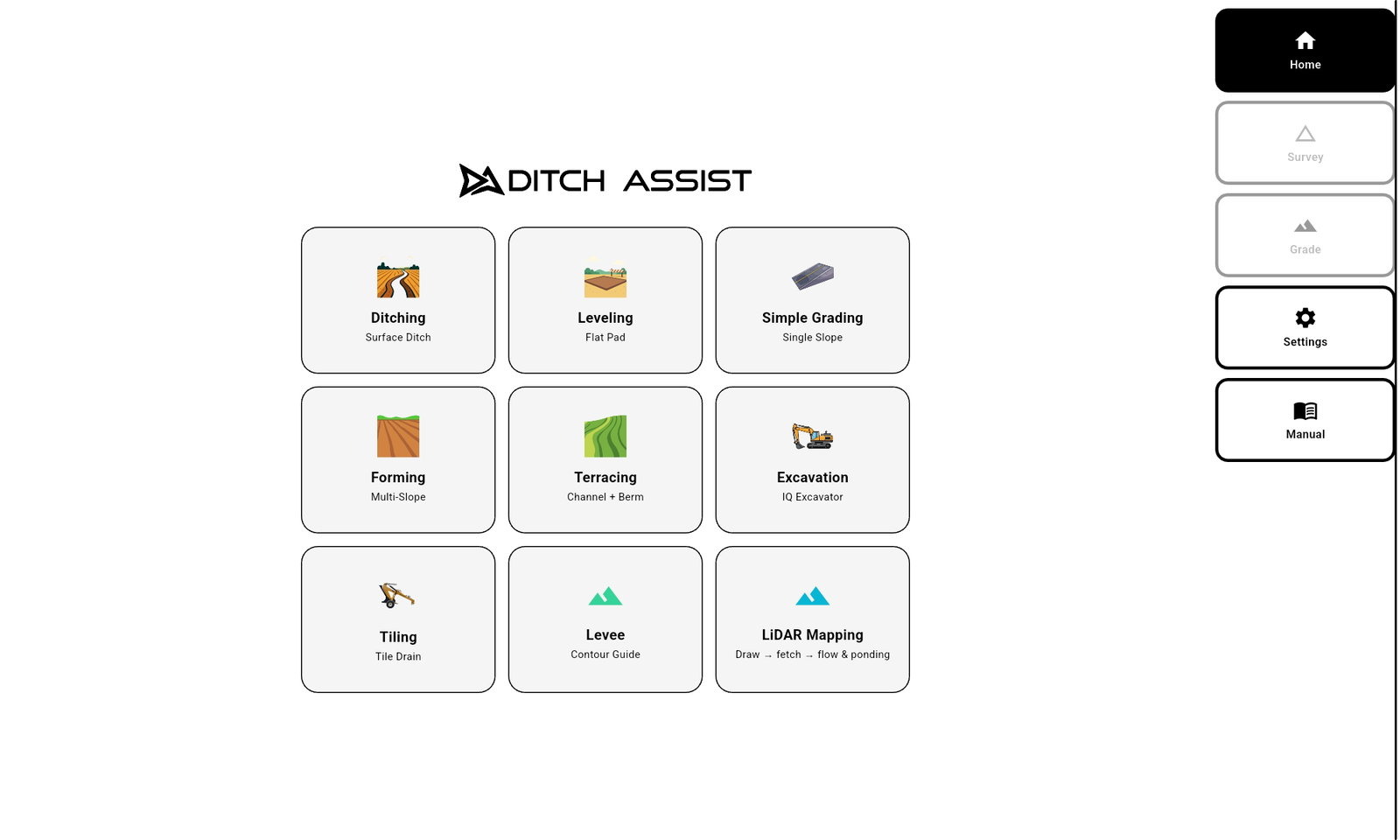
Ditching, Terracing, Land Forming, Simple Grading, Tiling, Leveling and Levee & Contour in one Android app on a standard tablet, plus Excavator mode with DIG™. Ditch Assist Lite runs every one of them in the same app, Excavator mode included. Learn it once, run it on every machine, off one RTK base.
Every mode a kit runs ships with it. One-time purchase — no subscription, no per-machine activation, no per-mode unlocks. Ditch Assist Lite is a one-time license per receiver, with every mode in it.
Tell us the machine and the job. We’ll match the kit, the RTK and the modes to it.
Get a quote →Click through a live browser build of the Ditch Assist app — real screens, real workflows, no login and no hardware required.
Yes. The implement kits and DIG both work with any NMEA-compliant RTK GPS source, and on a dozer or self-propelled scraper the Guidance Only Kit can run the compatible receiver you already own. Ditch Assist Lite needs only a GPS on the implement, no wires, and that GPS must be an Emlid Reach RS3 or RS4. Affordable Emlid Reach RS3/RS4 bundles are available if you are starting from scratch.
The Full Automation Kit drives the raise/lower hydraulics automatically. The Guidance Only Kit, DIG and Ditch Assist Lite show cut/fill on the screen, with an optional on-grade alert sound (on by default in Excavator mode), while the operator runs the machine. Where an implement has a compatible factory PWM valve, the Guidance Only Kit can work raise/lower through that valve.
The Guidance Only Kit. Ditch Assist plugs into a compatible factory PWM valve, such as the one on a Revolution Ditcher or Soil-Max Stealth ZD, and works raise/lower through it, so there is no valve to add. Other factory valves: tell us the make and model and we’ll confirm yours before we quote.
No. Every mode a product runs is included, with no per-mode activation. The implement kits include Ditching, Terracing, Land Forming, Simple Grading, Tiling, Leveling, and Levee & Contour (guidance). The DIG™ Kit runs Excavator mode, including its Enter Grade Only and Dig Level Area options. Ditch Assist Lite, with only a GPS on the implement and no wires, includes every mode too, as guidance, with Excavator mode as a grade check between cuts. LiDAR Drainage Mapping is currently included with every kit and with Ditch Assist Lite, where public LiDAR is available.
No. Every kit is a one-time purchase with no subscription and no per-machine activation fee. Ditch Assist Lite is a one-time license per receiver, also with no subscription.
Yes. Emlid Reach RS4 and RS3 bundles are available for customers who do not already have RTK, alongside support for any other NMEA-compliant RTK brand on the kits. Already own an RS3 or RS4? Ditch Assist Lite runs on it: only a GPS on the implement, no wires.
Start with the machine and the job, then check automation or guidance, RTK compatibility, grade design and cost to own. Ditch Assist covers implements with the Full Automation Kit or the Guidance Only Kit, excavators with DIG, and, with Ditch Assist Lite, any machine you can put a GPS on (guidance only, one GPS on the blade, no wires). The kits run on any NMEA-compliant RTK receiver (Ditch Assist Lite: an Emlid Reach RS3 or RS4), Slope-IQ designs multi-slope ditch grades from your survey, and every mode is in one Android app — one-time purchase, no subscription.
Yes. DIG™ is 3D bucket-to-grade guidance for excavators and backhoes: stick and bucket sensors and RTK position track the cutting edge in 3D, and the app shows it against design grade in real time, with on-screen and audible grade cues. The operator runs the hydraulics. It runs in the Ditch Assist app on your own Android tablet — Slope-IQ™ designs plus LandXML surfaces and Geo-Surface Pro XYZ/XYZP imports — and shares one app and one RTK base with the implement kits.
No. The Guidance Only Kit is a control module without the valve package: it takes any compatible RTK receiver, Emlid or another brand, powers that receiver from the module, drives compatible factory valves, runs every implement mode and can become the Full Automation Kit later by adding the valve and hydraulic components. Ditch Assist Lite is Emlid only, with no module and no valve: the app reads an Emlid Reach RS3 or RS4 directly over Wi-Fi, the receiver runs on its own battery, every mode runs as guidance only, and the license is per receiver. It has no upgrade path: automating later means buying the Full Automation Kit at full price, with no credit for Ditch Assist Lite. Different hardware, different product.
Only for checking grade. Ditch Assist Lite runs Excavator mode with a Reach on the stick, and our DIG™ GPS pendulum mount fits it, but there are no angle sensors: it reads grade only when you bring the stick and bucket back to the same position each time. That is a check between cuts, not live grade while you dig. The DIG™ Kit reads the stick and bucket angles, so it shows the bucket tip’s elevation the whole time you dig.